
All your emulators,
one library.
Bramble puts your Switch, PS5, PS4 and Xbox 360 games side by side and opens each one with its emulator. Made for Android handhelds, and driven entirely with the controller.
Free. No account, no ads and no tracking. Emulators and games are not included.
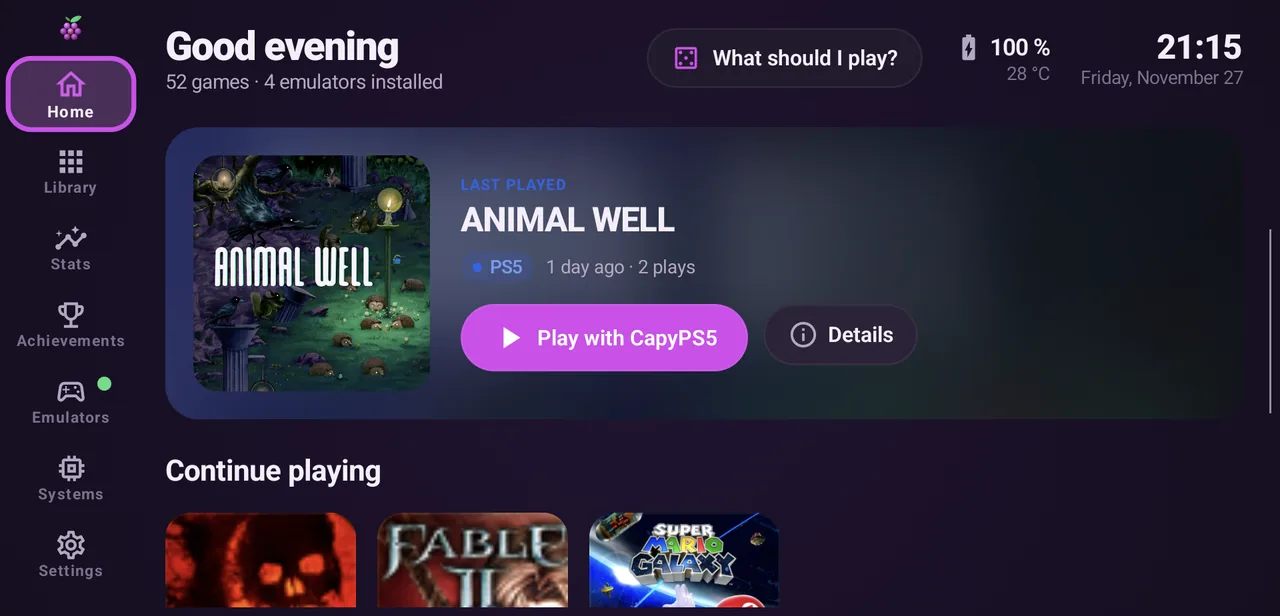
Bramble knows these four out of the box. Any other emulator you have installed can be added: RetroArch, Dolphin, AetherSX2, NetherSX2 and PPSSPP have templates, and a generic one covers the rest.
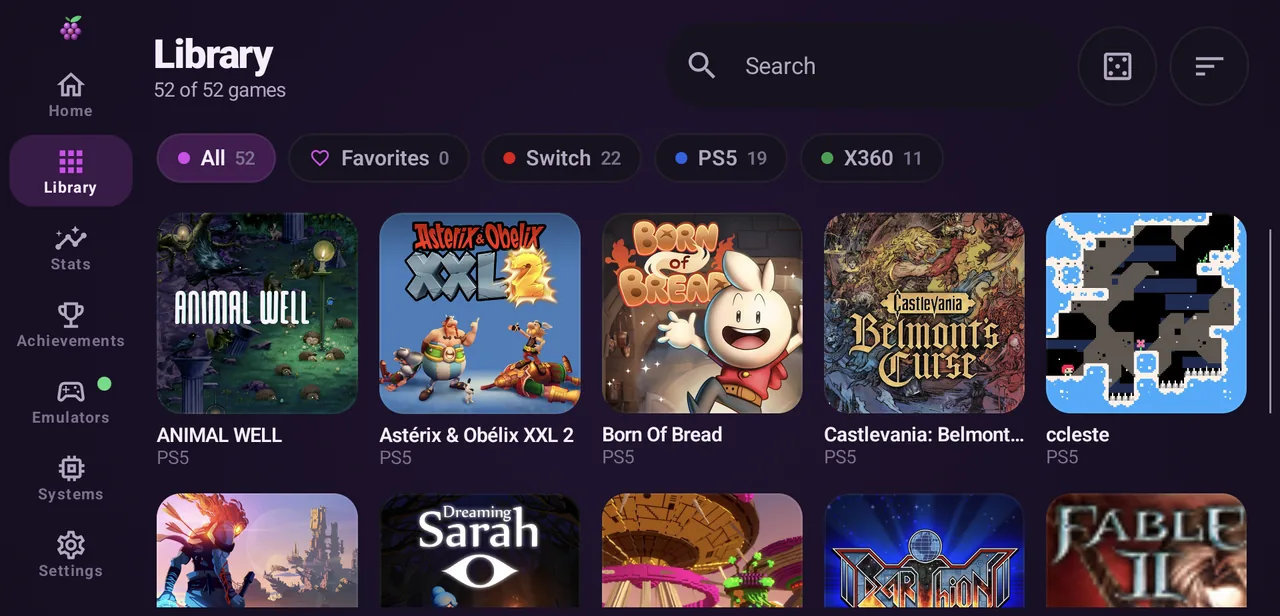
Every game in one place
Pick your game folders once. Bramble finds the games and keeps them up to date.
- Real names and covers. PS5 and PS4 titles come from the game itself; Switch and Xbox 360 ones come from the emulators.
- Multi-disc games are one card. Bramble remembers the disc you played last.
- Favorites, status and collections: Backlog, Playing, Completed or Dropped, and lists of your own.
- What should I play? picks a game at random, skipping the ones you finished.
- Grid or carousel, three cover sizes, search and sorting.
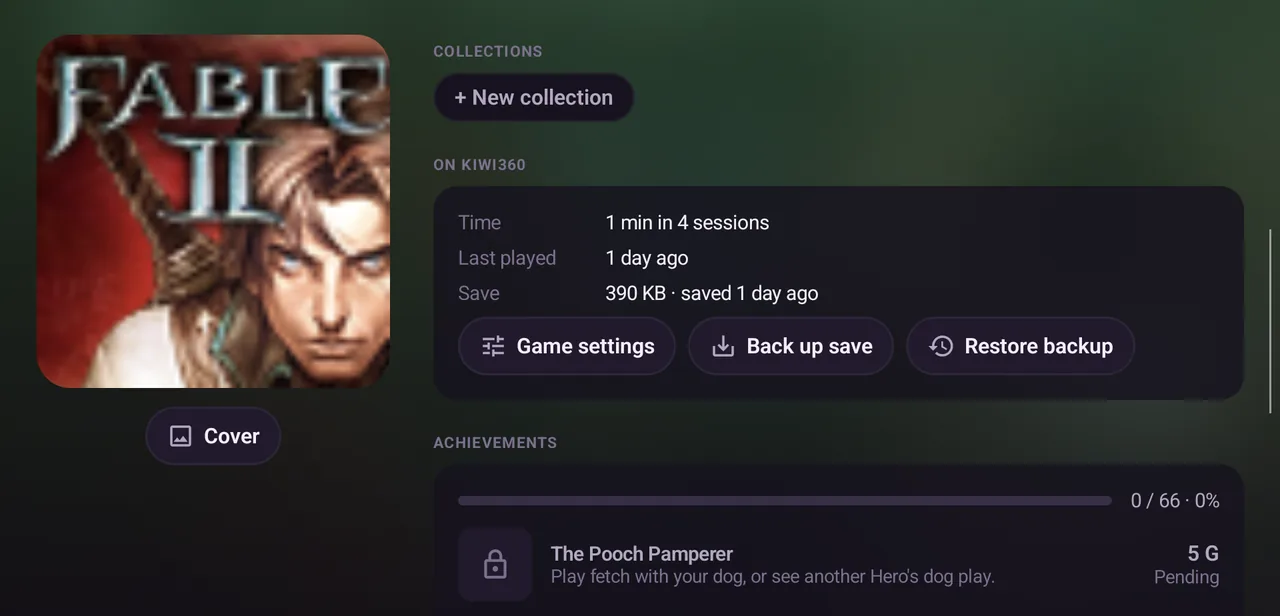
What the emulator knows, at hand
Each game's page shows what its emulator shares with Bramble. Each part appears when the emulator offers it.
- Play time and sessions counted by the emulator, even from before you had Bramble.
- Back up the save to a ZIP wherever you want, and restore it later through the emulator. Bramble never writes saves itself.
- Game settings opens that game's settings in the emulator.
- Achievements and trophies with your progress, and the emulator's screenshots.
- Home screen shortcut that starts the game directly.
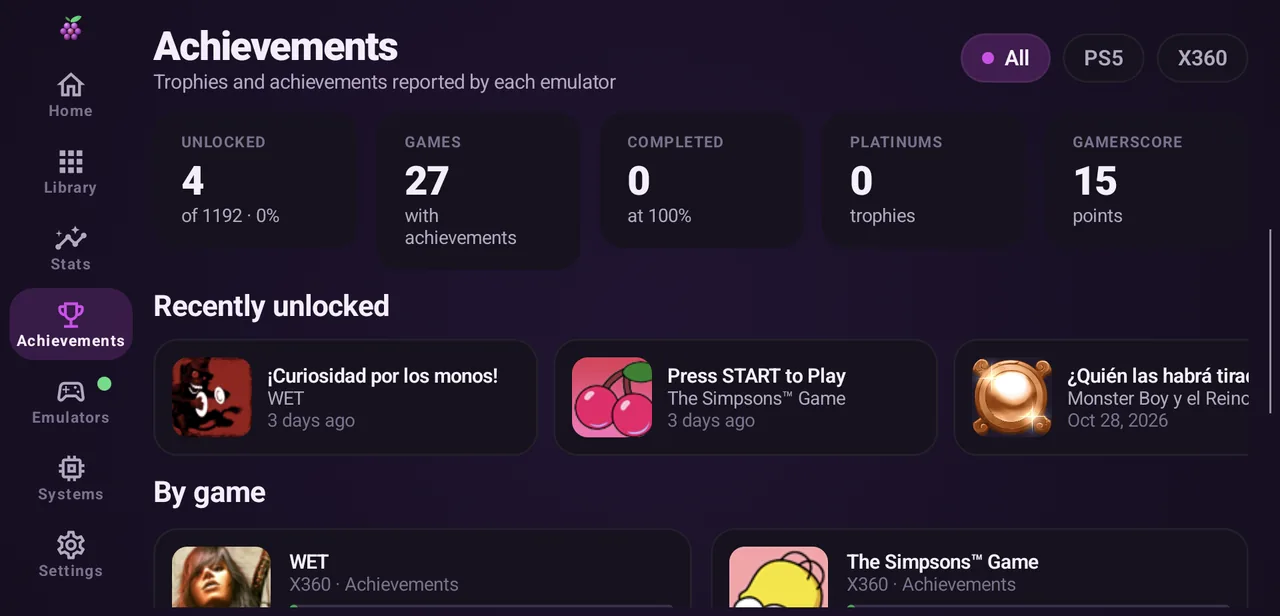
Trophies and achievements, together
PS5 trophies from CapyPS5 and Xbox 360 achievements from Kiwi360, in one place.
- Your totals: unlocked, completed games, platinums and gamerscore.
- Recently unlocked across all your games.
- Progress per game, with grades, points and unlock dates. Hidden ones stay hidden.
- Filter by system.
Where your time goes
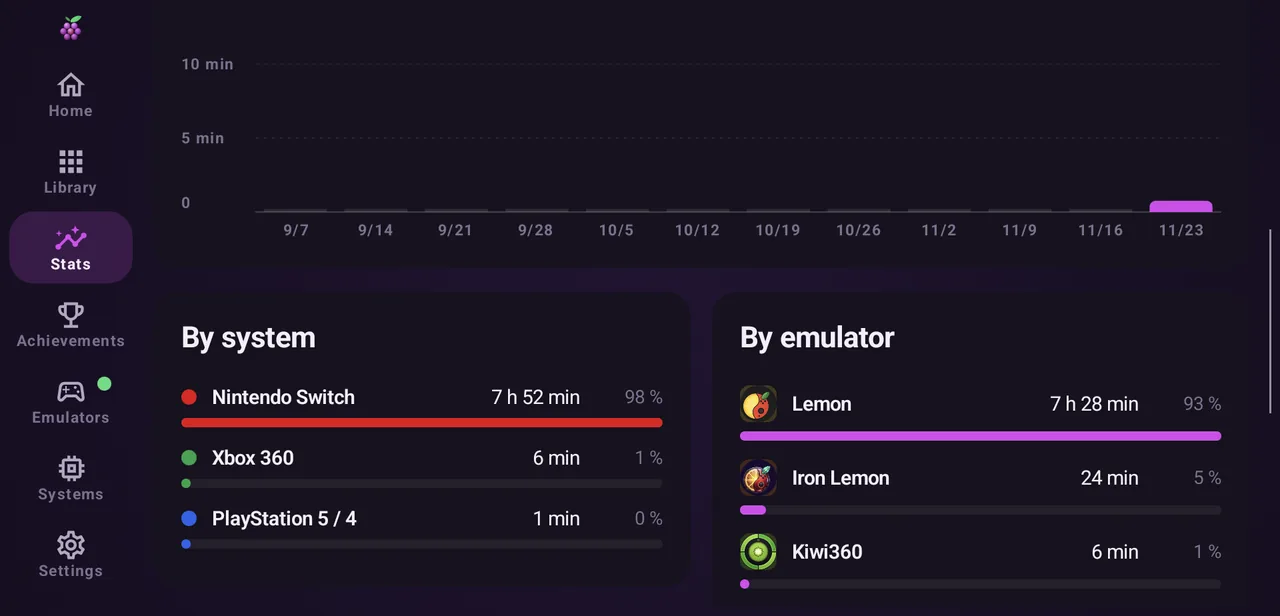
Every game you open from Bramble is a session. With Android's usage access, only the time the game is on screen counts.
- 7 days, 30 days or all time: total time, sessions, games, average and streak.
- Activity per day or per week.
- By system and by emulator, most played games and latest sessions.
- Time the emulators counted on their own is added, never twice.
Install, update and add your own
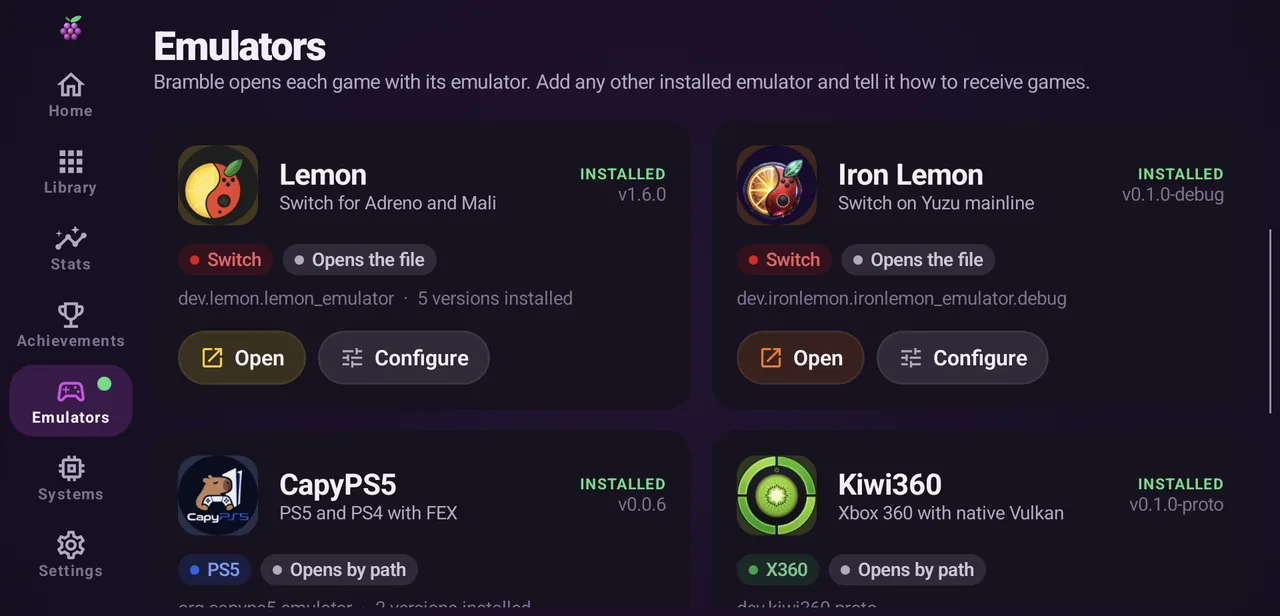
Bramble finds every installed build of an emulator, whether release, nightly or debug, and lets you choose which one plays.
- Download Lemon, Iron Lemon or CapyPS5 from their official releases. Android's installer always asks before installing.
- Update notices when a new version is out.
- Add any emulator and tell it how to receive the game: by file, by path or with your own extras.
- Systems with their own folders and default emulator. One Switch folder works for Lemon and Iron Lemon.
Made for the controller
Bramble is built for devices like the AYN Odin 3, and works on any Android phone or tablet too.
Controller first
D-pad to move, A to open, B to go back, Y for favorite and L1 R1 to switch sections.
Your home screen
Set Bramble as Android's home app and your handheld starts straight into your games.
Shortcuts
Pin a game to the home screen, or hold Bramble's icon to see the recent ones.
Your look
Accent color, cover size, grid or carousel, and battery and temperature in the header.
Backup
Export favorites, statuses, collections, stats and settings to a file, and bring them to another device.
English and Spanish
Bramble follows Android's language, or the one you choose for it alone.
What you need
Bramble itself is light. The emulators are what need a powerful device.
- System
- Android 11 or later.
- Emulators
- The ones you want to use, installed. Bramble can download Lemon, Iron Lemon and CapyPS5 for you.
- Games
- Your own dumps, in folders on internal storage or an SD card.
- Optional
- Usage access, for stats that count only the time a game is on screen.
Questions
Does Bramble include emulators or games?
No. Bramble is a frontend: it shows your library and opens each game with its emulator. It can download Lemon, Iron Lemon and CapyPS5 from their official pages. Games are your own; we don't link to them.
Can I use another emulator?
Yes. In Emulators → Add emulator, pick it from the installed apps and choose how it receives the game. RetroArch, Dolphin, AetherSX2, NetherSX2 and PPSSPP have templates.
Why do some features only work with Lemon, CapyPS5 or Kiwi360?
Play time, achievements, save backups and game settings come from the emulator. These emulators share them with Bramble; others don't, so their games show only what Bramble knows itself.
Can Bramble damage my saves?
Bramble never writes saves. A backup is a copy the emulator hands over, and a restore goes back to the emulator, which shows its own confirmation before writing anything.
Does Bramble send my data anywhere?
No. There is no account and no tracking. Bramble only goes online to check for and download emulator releases. Your library, stats and settings stay on the device.
Why does it ask for usage access?
It's optional. With it, stats count only the time the emulator was on screen. Without it, Bramble uses the clock and marks those times with ≈.
Is Bramble open source?
The source is public under the PolyForm Shield 1.0.0 license. You can read it, learn from it and use parts of it in your own projects. What it doesn't allow is publishing Bramble again with a new look or name as a competing frontend.
Community
Bramble is made in spare time, alongside Lemon and CapyPS5. Ideas and reports from real devices move it forward; a coffee helps too.